If you’ve searched for an AI cross stitch pattern generator in the last year, you’ll have found a confusing mix of things all using the same label. Some of them produce stitchable charts. Most produce pretty images that aren’t actually patterns. A few don’t exist at all - just landing pages waiting for you to sign up to a newsletter.
This post is an honest, lived-with comparison of the tools people actually mean when they ask about “AI cross stitch generators” in 2026. I’ve used or signed up to all of them. I’ll tell you what each one actually does, who it’s for, and what to buy if you want a pattern you can stitch rather than a picture to post.
Fair warning on one thing up front: I run Xstitchify, which is one of the tools in this comparison. I’ve tried to be fair and to spell out what we do and don’t do, but I also think Xstitchify is the best real AI cross stitch pattern generator in 2026 - and honestly, one of the only ones that produces a genuinely stitchable chart you can then edit. Most tools in this comparison stop at the image step; we go the whole way.
What “AI cross stitch generator” actually means
Before comparing, the split that matters most: image generation vs chart generation. Almost all of the tools below fall into one of these two categories, and it’s where most of the confusion lives.
Image generators take a text prompt and produce a picture. If you prompt “cross stitch of a robin,” you get a picture of a robin in a cross-stitched visual style. The output is a JPG or PNG - no chart, no thread codes, no symbols, nothing you can sit down with and actually stitch from. It looks like cross stitch; it isn’t cross stitch.
Chart generators take either an image or a prompt, and produce an actual cross stitch chart - a grid of whole stitches mapped to real thread codes (DMC, Anchor, Madeira, Cosmo), with a symbol key, stitch counts and usually a PDF export. You can print it and stitch it.
The tools below are a mix of both, and it changes which one is right for you.
The tools, compared
1. Xstitchify AI Pattern Generator
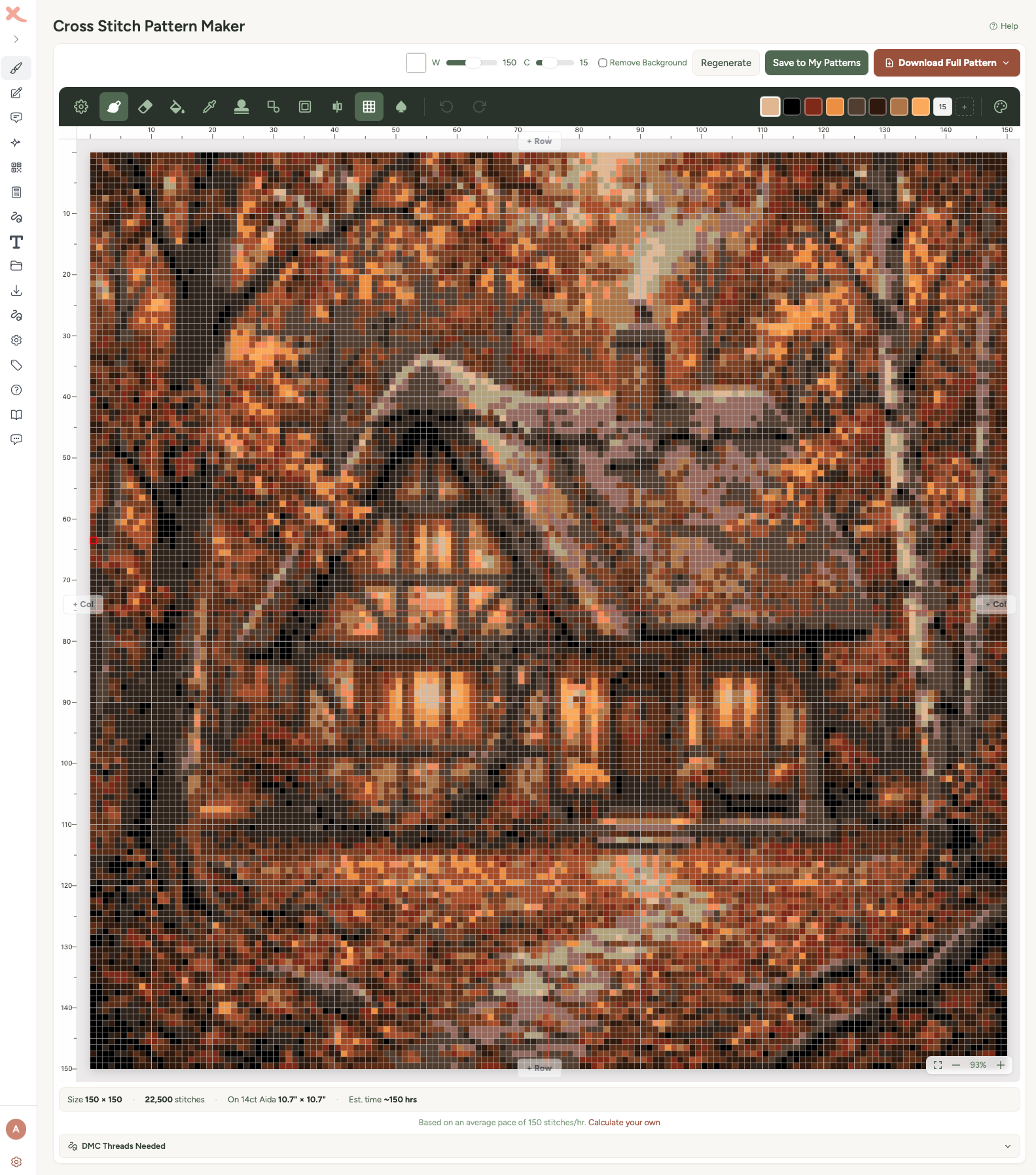
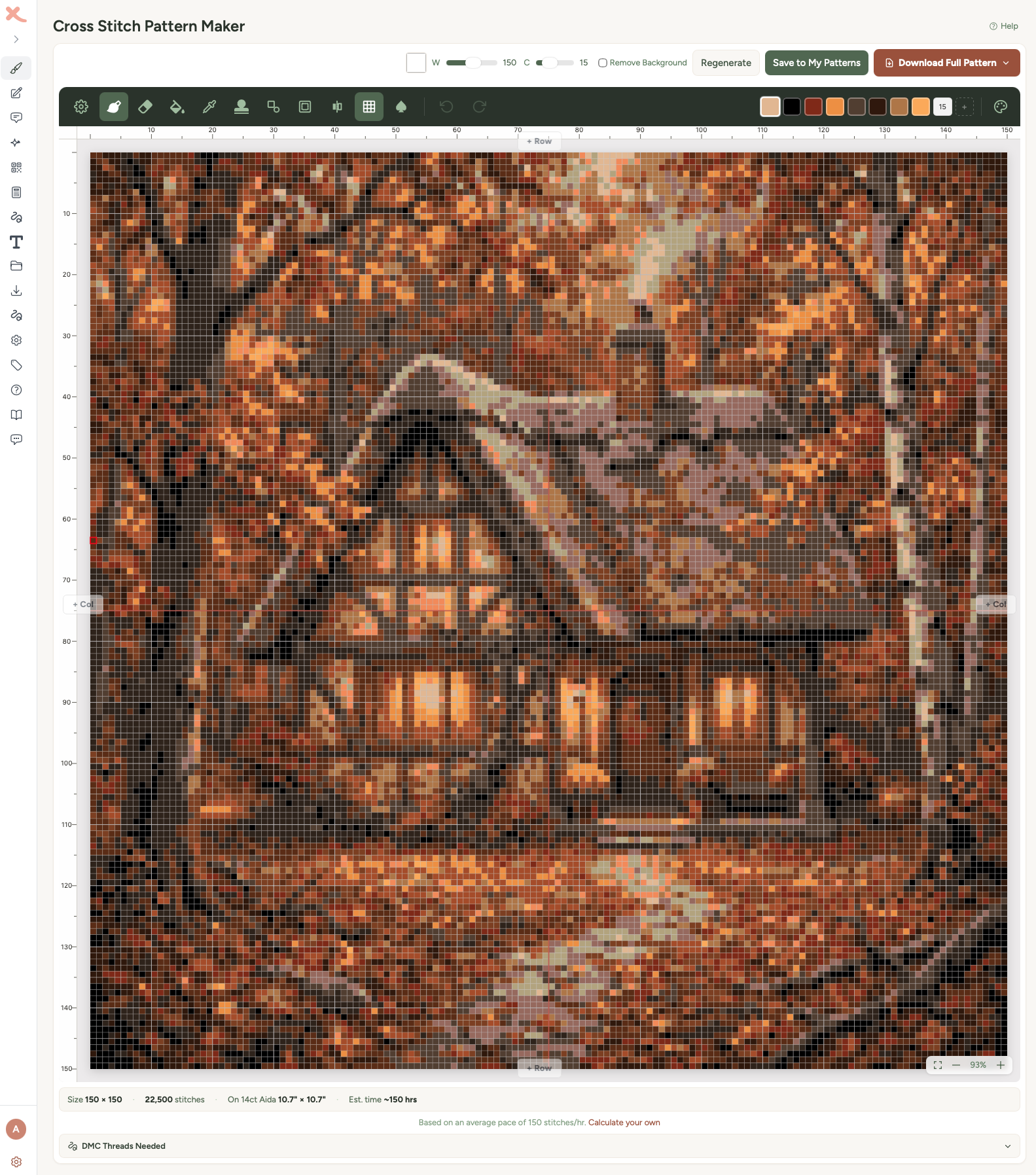
What it is: Full AI-to-chart pipeline. Prompt → AI image → converted into a stitchable grid with real thread codes → opens in a full pattern editor where you can edit any stitch → PDF export.
What the output is: A genuine, stitchable cross stitch chart. Pattern Keeper compatible, with a symbol key and a colour-coded thread list.
Strengths: It goes the whole way from prompt to stitchable chart. DMC, Anchor, Madeira or Cosmo thread brands; perceptual colour matching (Delta E in CIELAB space, not just nearest RGB); confetti reduction. The editor is where most of the value lives - you can fix bits the AI got wrong, swap threads, redo text with a proper text tool, before you ever download. Works on any browser and device. The same editor also works for photos, text patterns and a blank-canvas designer.
Weaknesses: AI generation costs credits (30/month on Standard, 100 on Pro, plus credit packs from 30 to 200 that don’t expire). There’s no completely free AI generation anywhere because image models aren’t free to call. Backstitch and fractional stitches are on the roadmap but not in yet.
Best for: Stitchers who want an AI starting sketch but want the finished output to be a real chart they can stitch from, not a picture to look at.
2. Musely AI Cross Stitch Pattern Generator
What it is: A mobile-first AI image tool in Musely’s content platform. Prompt → AI image styled to look like cross stitch.
What the output is: A JPG/PNG image. Not a chart. No thread codes, no symbol key, no stitch counts, no grid of whole stitches you can count.
Strengths: Free at the basic tier. Quick to use. No signup friction. Fine if you just want a cross-stitch-looking image to share, reference or mood-board.
Weaknesses: You can’t actually stitch from the output. If you want a stitchable pattern from a Musely output, you then have to upload the JPG into a separate charting tool (like our photo-to-cross-stitch converter) - which adds a step and costs you the detail the AI might have generated, because the image was never built to be pixelated cleanly.
Best for: People who want a reference image or something to post on Instagram, not people who want to stitch.
Full side-by-side comparison of Musely vs Xstitchify →
3. ChatGPT (with image generation)
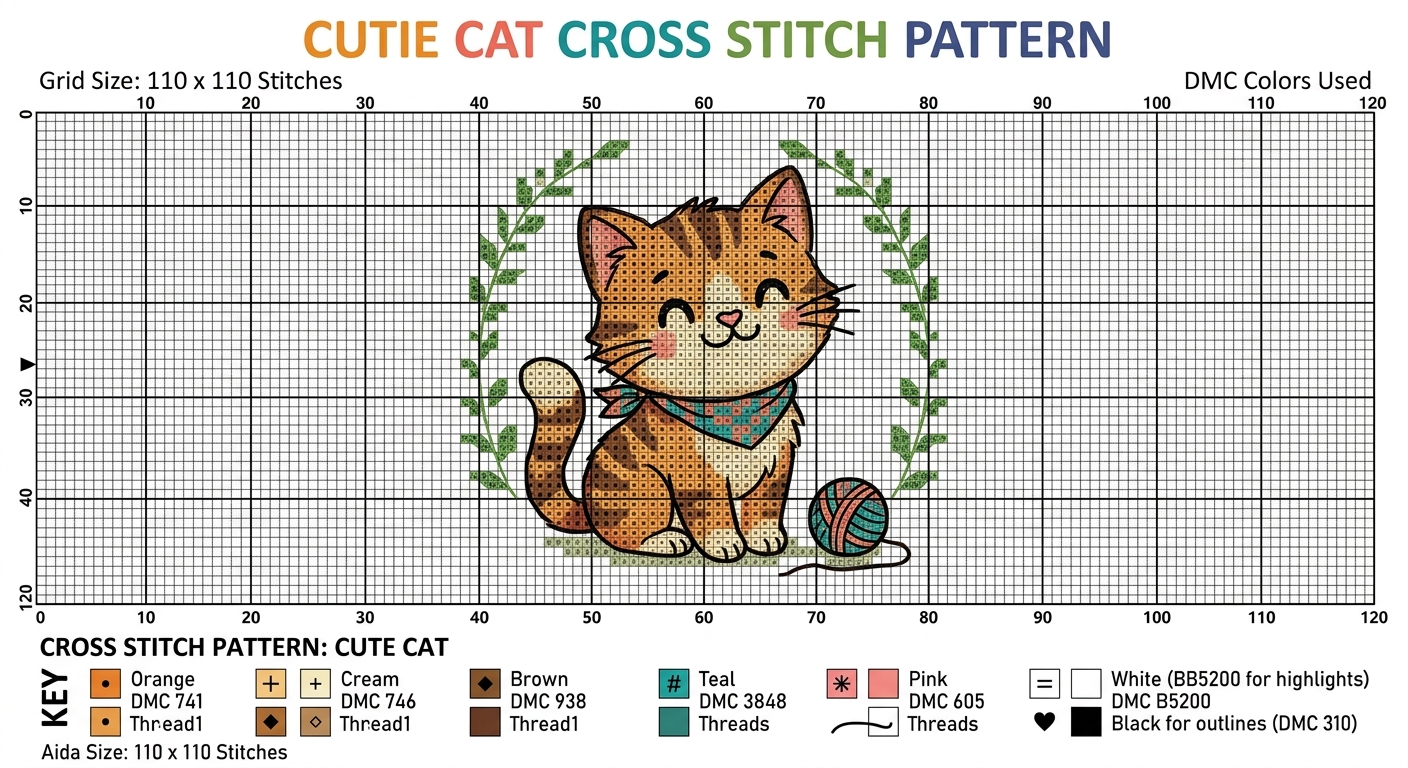
What it is: A general-purpose AI assistant. ChatGPT Plus includes image generation, and you can prompt “create a cross stitch pattern of a fox in a forest” and it will produce an image.
What the output is: An image. ChatGPT’s image tool is genuinely good - better aesthetically than most dedicated cross stitch AI tools. But it’s still an image, not a chart. Asking ChatGPT to “also make the symbol chart” produces a fake chart - it looks like one at a glance, but the symbols don’t correspond to real DMC codes and the grid rarely lines up with the image underneath. It’s a convincing mockup, not a stitchable pattern.
Strengths: High image quality. Conversational - you can iterate (“make it more folk style,” “fewer colours,” “add autumn leaves”). Good for ideation.
Weaknesses: Cannot produce a real chart. Cannot match to real thread codes. Cannot do confetti reduction. Any claims it makes about thread codes should be double-checked - DMC 2047 doesn’t exist, and ChatGPT will hallucinate codes that aren’t in any real floss range.
Best for: The sketching stage of a design. Use ChatGPT to nail down your concept, then take the image it produced into a proper chart generator.
Full write-up of using ChatGPT for cross stitch →
4. Stitch Fiddle (with image upload)
What it is: A web-based cross stitch pattern editor with image upload. Not really an AI tool - it does photo-to-pattern conversion, not prompt-to-pattern generation.
What the output is: A real, stitchable chart from an uploaded image. Symbol chart, thread codes (DMC only on the free tier), PDF export.
Strengths: Established, trusted, web-based. Good for users who already have an image (photo, AI-generated or otherwise) and want to convert it.
Weaknesses: No AI generation - you need to supply the image. Free tier is limited; full access requires subscription. DMC only on free; other brands behind paywall. No text generator, no QR generator.
Best for: Users who already have an image and just want a charting tool. Pair with ChatGPT or Musely for the image generation step.
5. Pic2Pat
What it is: Long-running web-based image-to-pattern converter. Not an AI tool either, but listed because it’s often in the same search results.
What the output is: A basic chart from an uploaded image. PDF export. Limited configurability.
Strengths: Simple, quick, has been around forever. Free.
Weaknesses: Dated interface. Colour matching isn’t as tight as newer tools. No AI generation. No editor - you get what you get.
Best for: Very quick, no-frills photo-to-chart conversion. Not a competitor in the AI space.
6. Midjourney, Nano Banana, FLUX, and similar general-purpose image models
What they are: State-of-the-art generative image models. Extremely high quality output. None of them are cross stitch tools; they just produce images that sometimes include a “cross stitch” style prompt.
What the output is: A beautiful image. No chart. No codes.
Strengths: The image quality is excellent. If you want an aesthetic reference, these beat any dedicated cross stitch AI tool.
Weaknesses: Same as ChatGPT - you still need to take the image into a chart generator afterwards. Most charge monthly subscriptions for quality access.
Best for: Ideation at professional quality. Pair with a chart generator.
The decision tree
“I want to type a prompt and get a chart I can actually stitch.” → Xstitchify AI Pattern Generator.
“I want a cross-stitch-styled picture to post or print as art.” → Musely or ChatGPT. Both free at their base tiers. Quality-wise, ChatGPT wins.
“I have a photo I want to turn into a chart - no AI generation needed.” → Our photo-to-cross-stitch converter (free), Stitch Fiddle, or Pic2Pat.
“I want a really detailed AI image I then chart myself.” → Midjourney, FLUX or Nano Banana for the image, then any photo-to-chart tool to convert it.
“I don’t want anything AI-adjacent at all.” → Photo-to-cross-stitch from your own photos, the text generator, the QR generator, or the pattern designer. All AI-free and always will be. More on how to avoid AI patterns entirely →
Common questions
“Can AI actually make a usable cross stitch pattern?” Only if the whole pipeline is built for it. An AI image alone is not a pattern; it’s a reference. The pattern only exists once the image has been pixelated to a stitch grid, matched to real thread codes, run through confetti reduction and output as a chart with symbols. Longer answer here.
“Is it ethical to use AI for cross stitch?” It depends on the use. Selling raw AI outputs as “patterns” on Etsy is the thing the community’s legitimately angry about - unstitched mockups marketed as real patterns. Using AI as a starting sketch you then edit, stitch-test and keep for personal use is closer to using a reference photo. Different category, different ethics.
“Should I buy an AI-generated pattern from Etsy?” Usually no, but there’s a proper checklist in our how to spot AI cross stitch patterns post. Missing chart preview, unrealistic colour counts (100+), thread codes that don’t exist, seller with no history - any two of those and walk away.
“What about AI for knitting, crochet, embroidery, needlepoint?” Same pattern applies across crafts. Most tools produce styled images; very few produce real patterns. Anyone selling “AI crochet patterns” should be checked for the same signals as AI cross stitch patterns: is there an actual chart with actual hook sizes and actual stitch counts, or just a picture?
If you want to try one now
If your goal is an actual stitchable chart, not just a cross-stitch-looking picture, our AI pattern generator is built for that end-to-end workflow. Prompt, shape, size, style, thread brand, colour count - then generate, tweak in the editor, export the PDF. AI generations use separate credits, available with a subscription or one-off credit pack.
If your goal is a reference image to stitch from a photo you take afterwards, any of the free image tools above will do fine. Bring the result to the photo converter and you’ve rebuilt this pipeline for free - you just do the work in two steps instead of one.
The thing to avoid is a tool that sells itself as an “AI cross stitch pattern generator” but only outputs images. Those exist, they’ve been around for about two years, and they’re where a lot of the community’s frustration with AI patterns comes from. If you’re paying for an output, check what’s actually in the file before you commit.